Overview
Introducing the Quamar A01 65 Espresso Coffee Grinder: The Ultimate Partner for Your Coffee Journey!
We had the exciting opportunity to catch our first glimpse of the Quamar A01 65 at the SCA Expo in Texas in 2025, and we received our batch home in November of that year. From the moment you lay eyes on this grinder, it’s clear that this isn’t just another coffee accessory; it’s a game-changer for coffee enthusiasts!
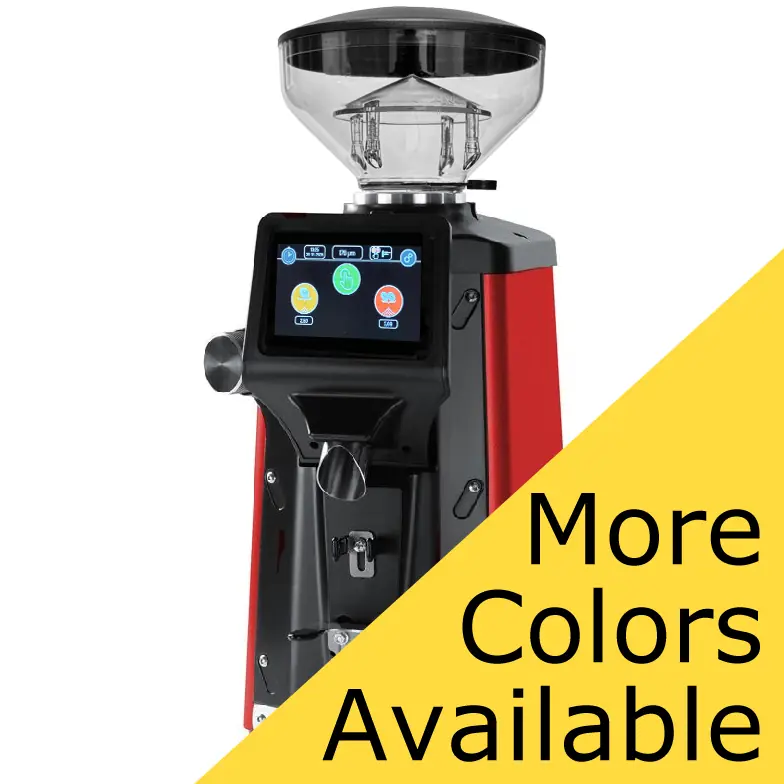
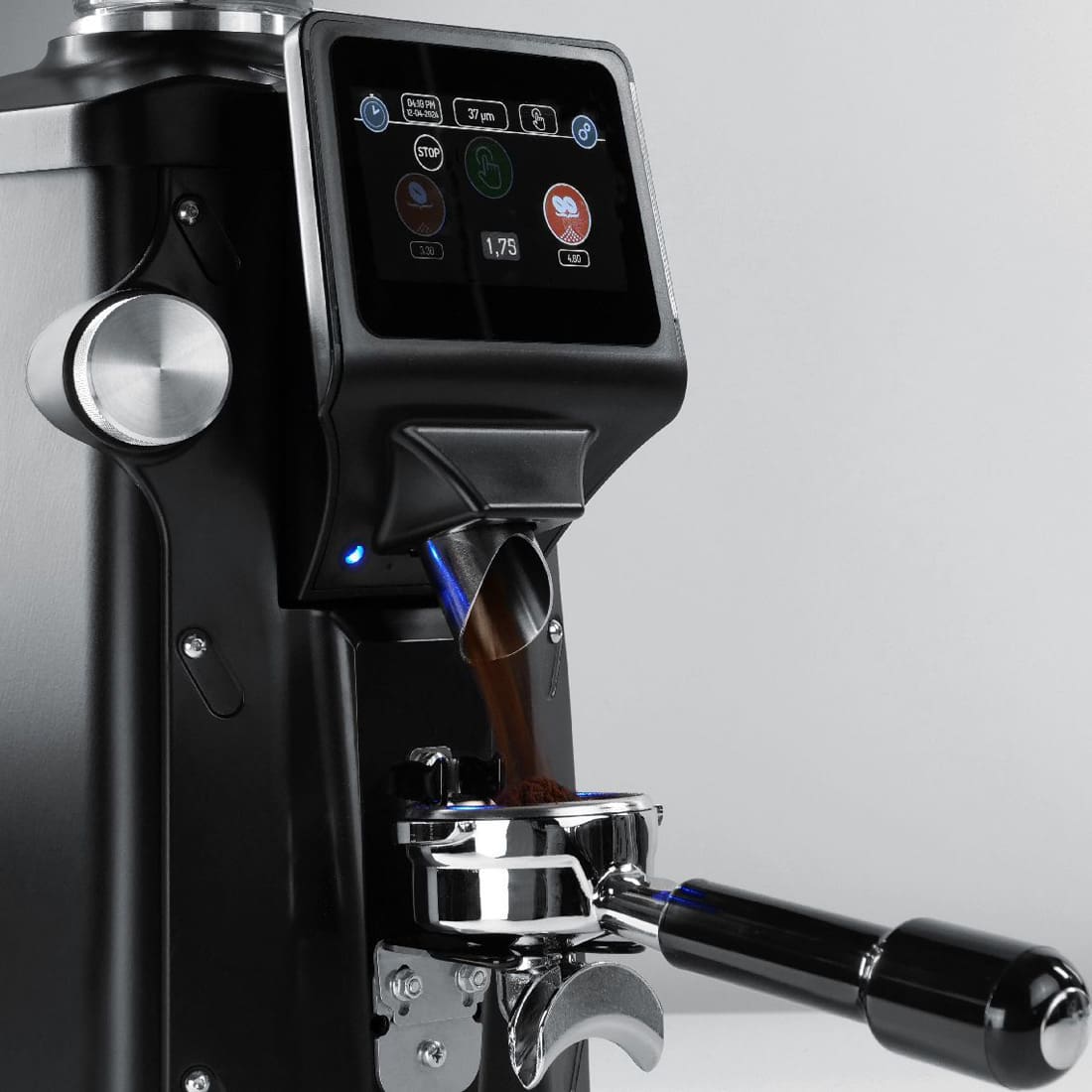
Imagine having the power of precise, stepless grinding adjustments measured in microns at your fingertips. With the Quamar A01 65, fine-tuning your grind has never been easier, allowing you to extract the perfect flavor profile tailored to your taste! The stunning 4.3″ color screen is not only visually appealing but also offers a smooth, user-friendly interface that makes navigation effortless, even when you’re in the grind of your morning routine.
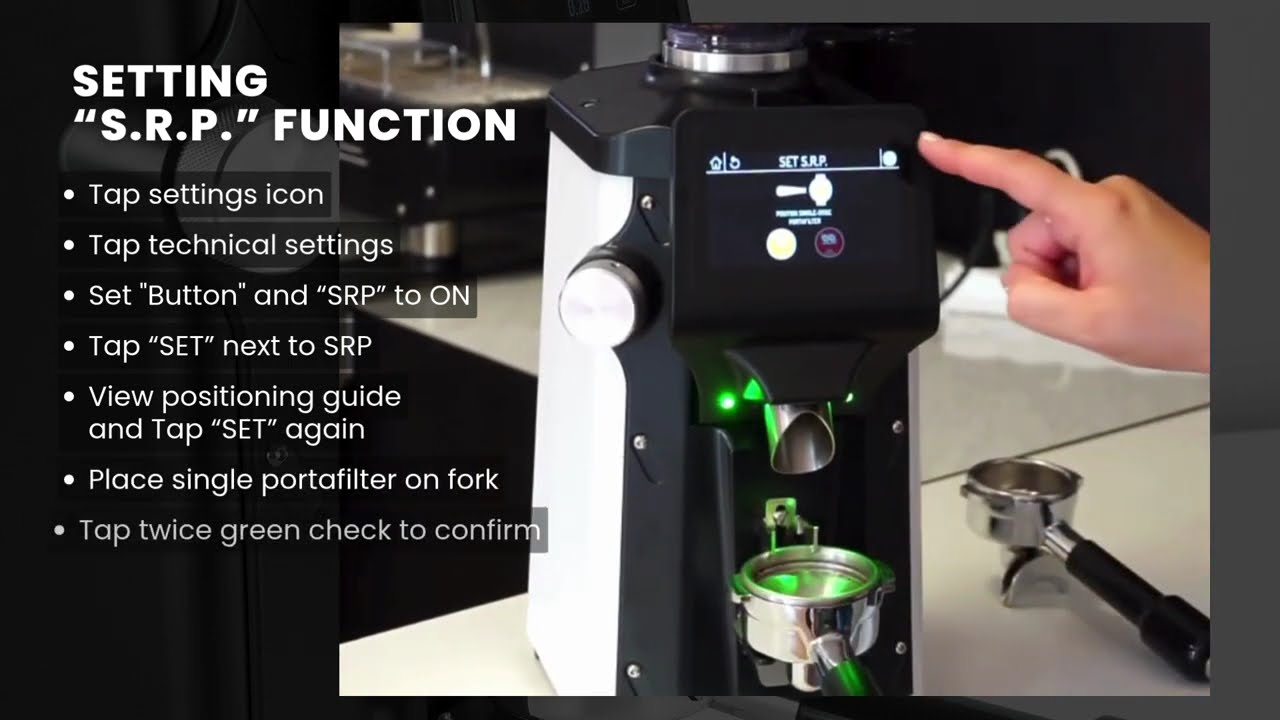
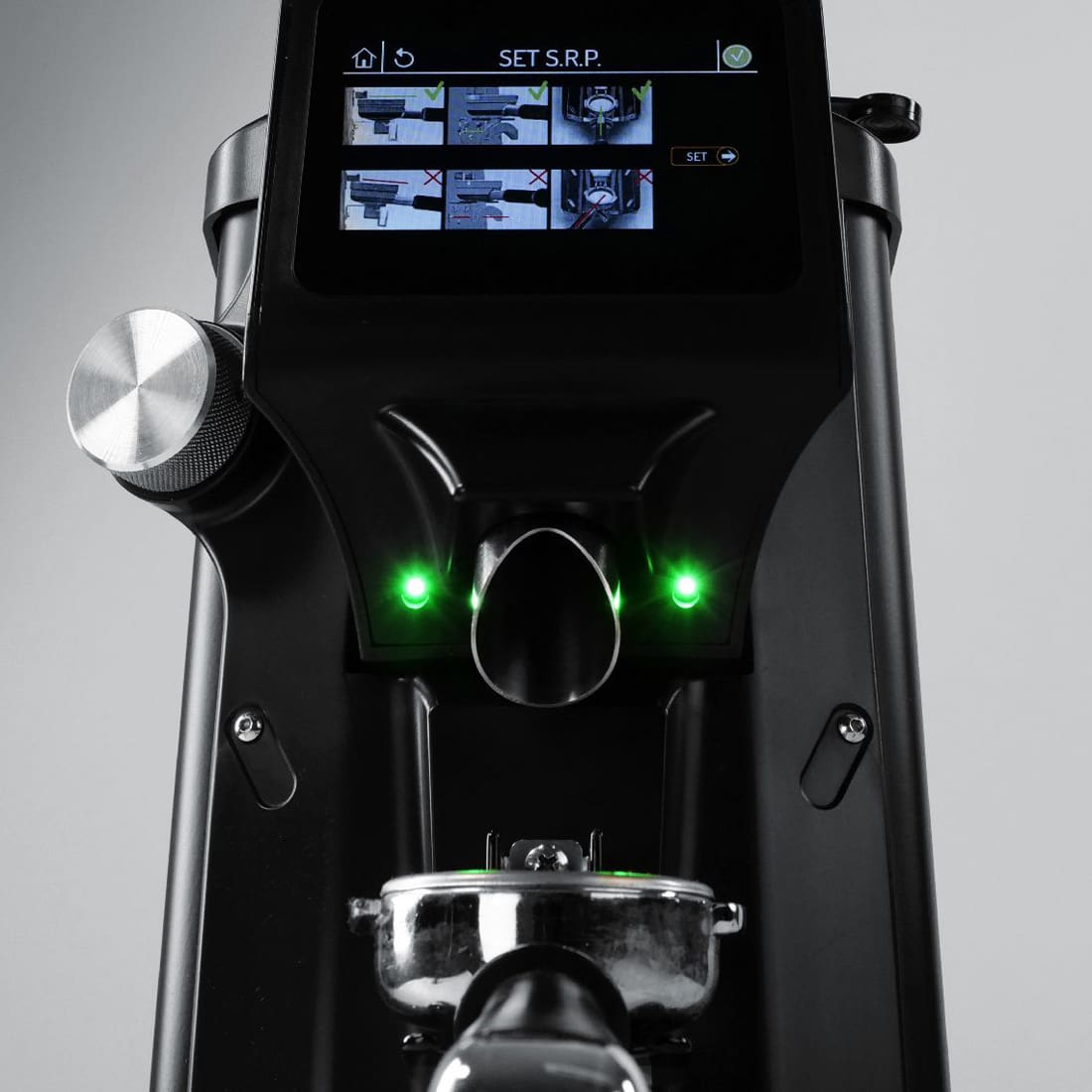
One of the standout features of this exceptional grinder is the innovative S.R.P. (Portafilter Recognition System). This intelligent technology recognizes the type of portafilter you’re using and automatically engages the grinding process the moment it’s in place. It streamlines your coffee-making experience, ensuring that your brew is consistently perfect every time!
Knowing how tall this grinder is, we took the liberty of requesting a shorter hopper design, and Quamar delivered! This thoughtful modification saves precious height, making it easier to slot the grinder neatly under your kitchen cabinets without sacrificing functionality.
Whether you’re a café owner, a dedicated barista, or a home-brewing enthusiast, the Quamar A01 65 is tailored for you. With its blend of smart technology and user-centric design, it’s not just a gadget; it’s a must-have for anyone who appreciates the art of coffee. Elevate your brewing game and make this powerhouse grinder a part of your coffee ritual—you won’t be disappointed!

Videos


Features
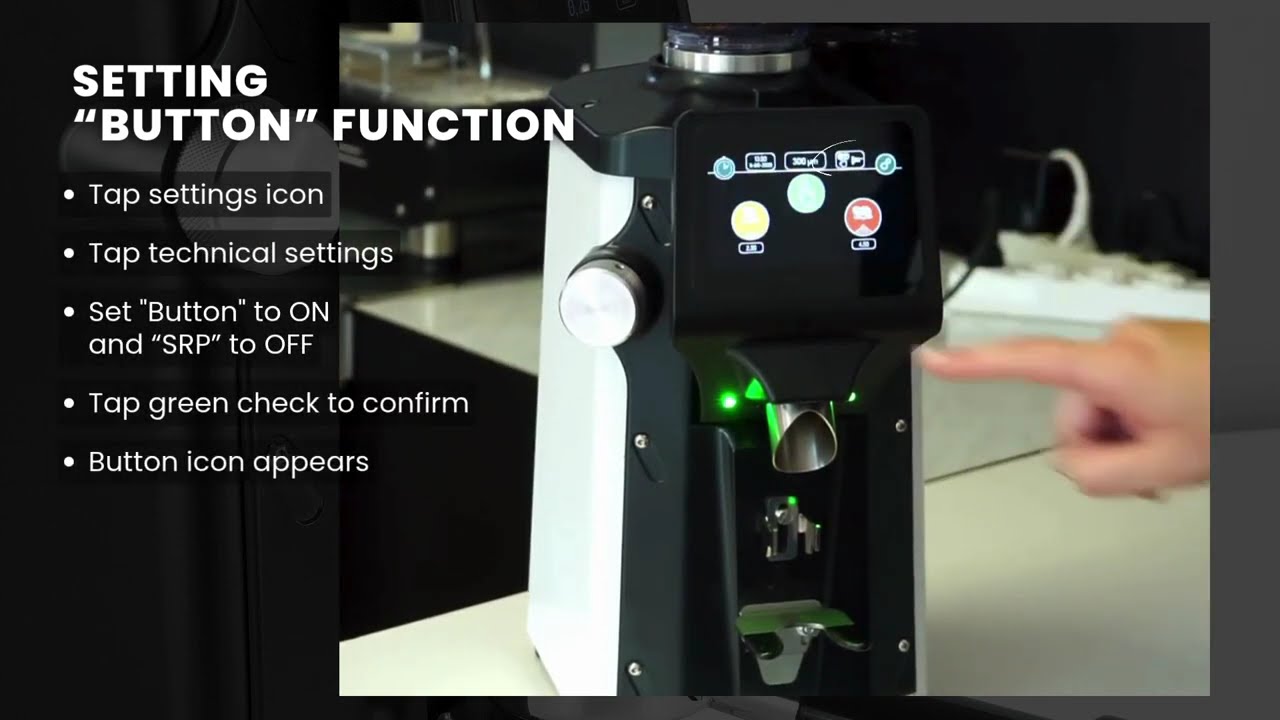
On Demand Grinding
- Simple touchscreen display: Very responsive and easy to understand.
- Multiple dosing options: Single cup, double cup, & semi-automatic dosing. Easy to distinguish by their graphics and/or their color.
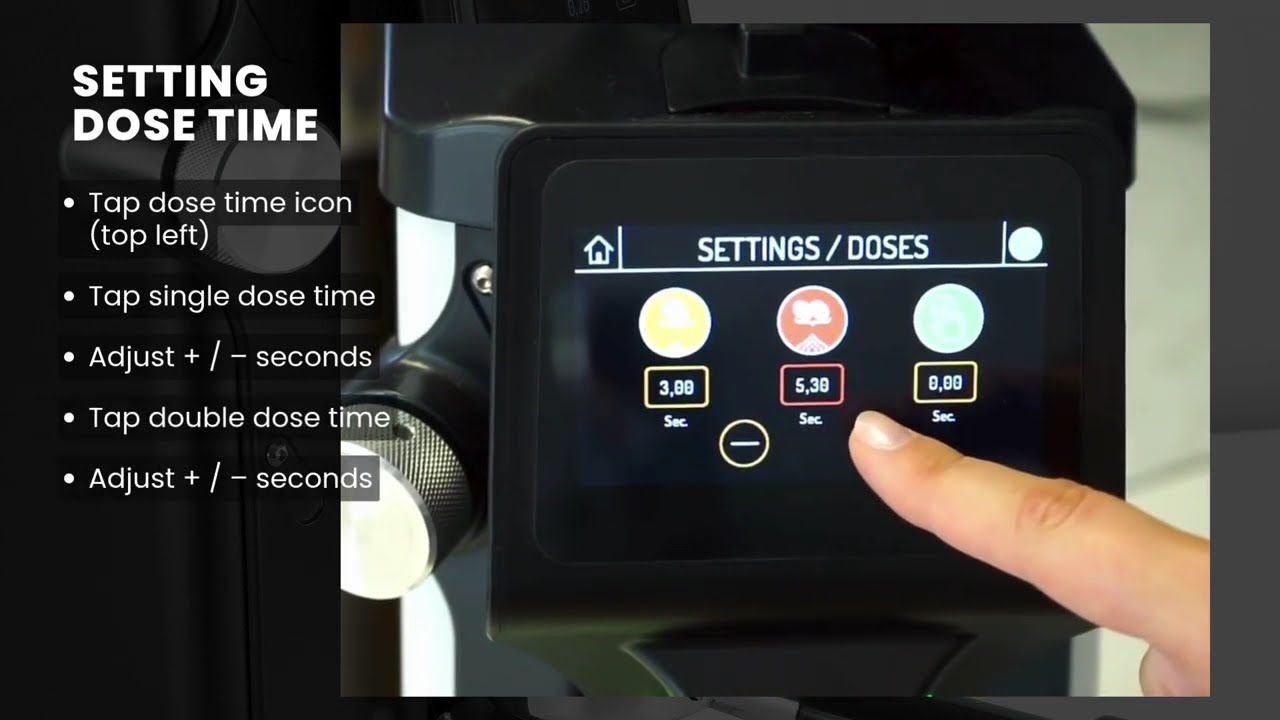
- Time-based grinding: The single & double cup dosing options can be programmed by 0.05-second increments from 0.1 to 120 seconds. The display shows the grinding time once you start grinding.
Grinding Adjustment
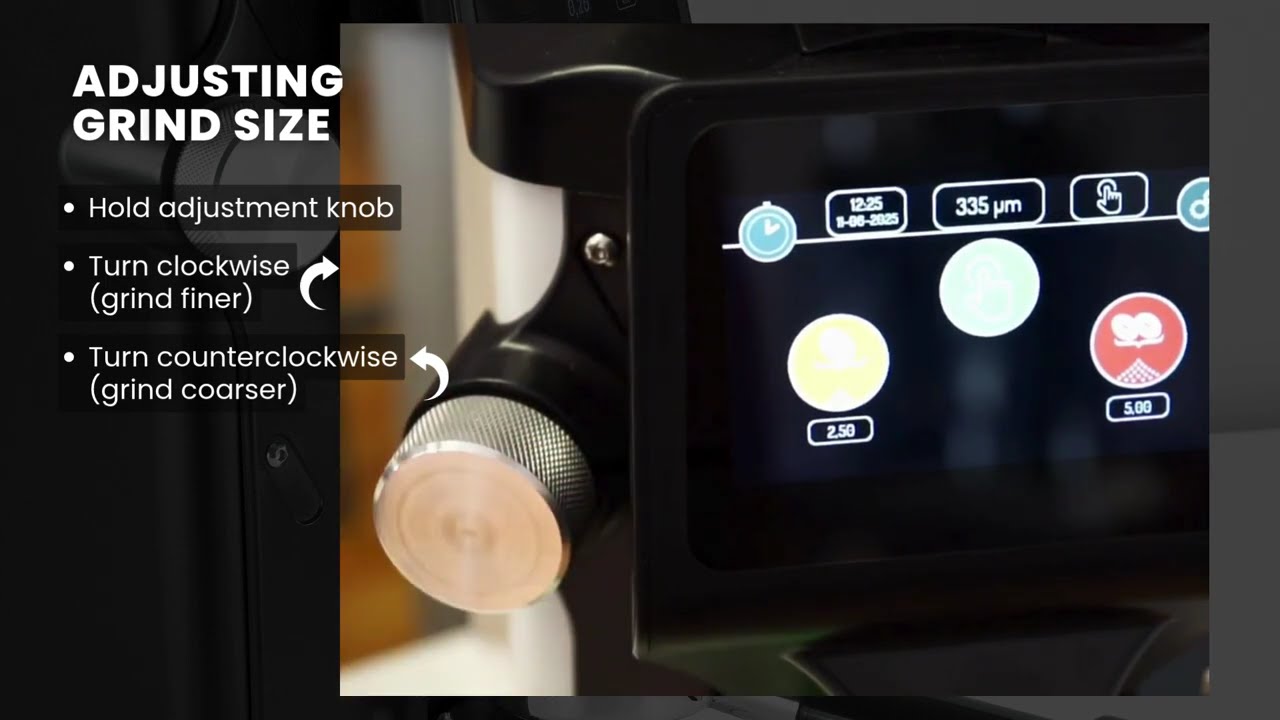
- Stepless: Gives an infinite number of grind settings which allows you really fine-tune your grind fineness. The adjustment knob is located on the front left of the grinder. Turn clockwise for a finer grind and counterclockwise for a coarser grind. One full turn will adjust your setting by 100 microns (µm).
- Setting indicator: Your current setting is displayed on the top middle of the screen in microns (µm). This precision allows you to dial your grind in for different coffee blends or switch from fine espresso grinding to course pour over grinding.
Grinding Burrs
- Flat burrs: Larger size at 65 mm. The larger the size, the more of a grinding surface, resulting in faster production.
- High RPM: Fast spinning rate at 1770 rpm. The higher the speed, the faster the production, which can increase efficiency and reduce wait times.
Touchscreen Display
- Large 4.3″ color screen: Responsive and easy to navigate, offering clear visuals and quick access to all features.
- Settings:
- Dose adjustment: Adjust grind time in 0.05-second increments, from 0.1 up to 120 seconds.
- Grinder wear: Set a burr replacement countdown based on number of uses (default: 70,000 cycles).
- Counters: Track usage by day, month, or year for each dose, ideal for personal or commercial monitoring.
- Date: Display in USA (M/D/Y), European (D/M/Y), or ISO (Y/M/D) formats.
- Time: Shows the current time in either 12-hour (AM/PM) or 24-hour format.
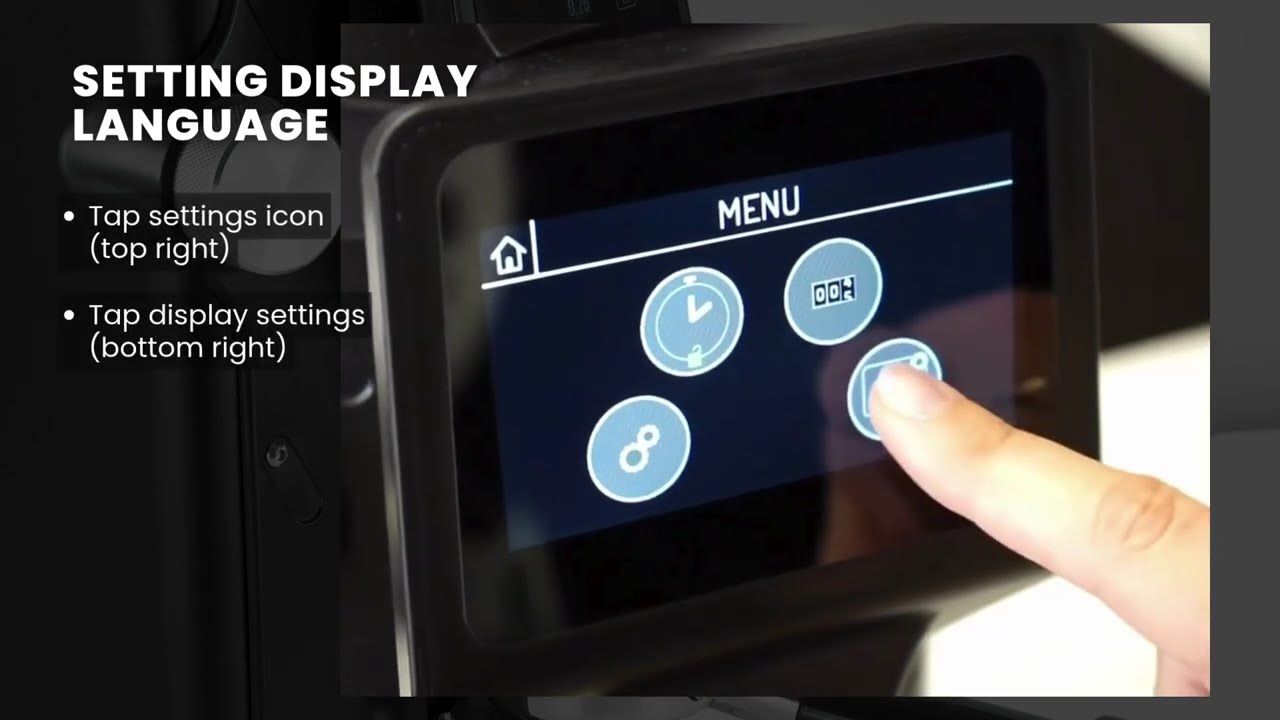
- Language: Choose from 12 available languages.
- Brightness: Adjust the display brightness for optimal visibility.
- Standby mode: Set automatic standby up to 1,800 seconds, or turn it off.
- S.R.P.: Portafilter Recognition System – The process
Portafilter Fork
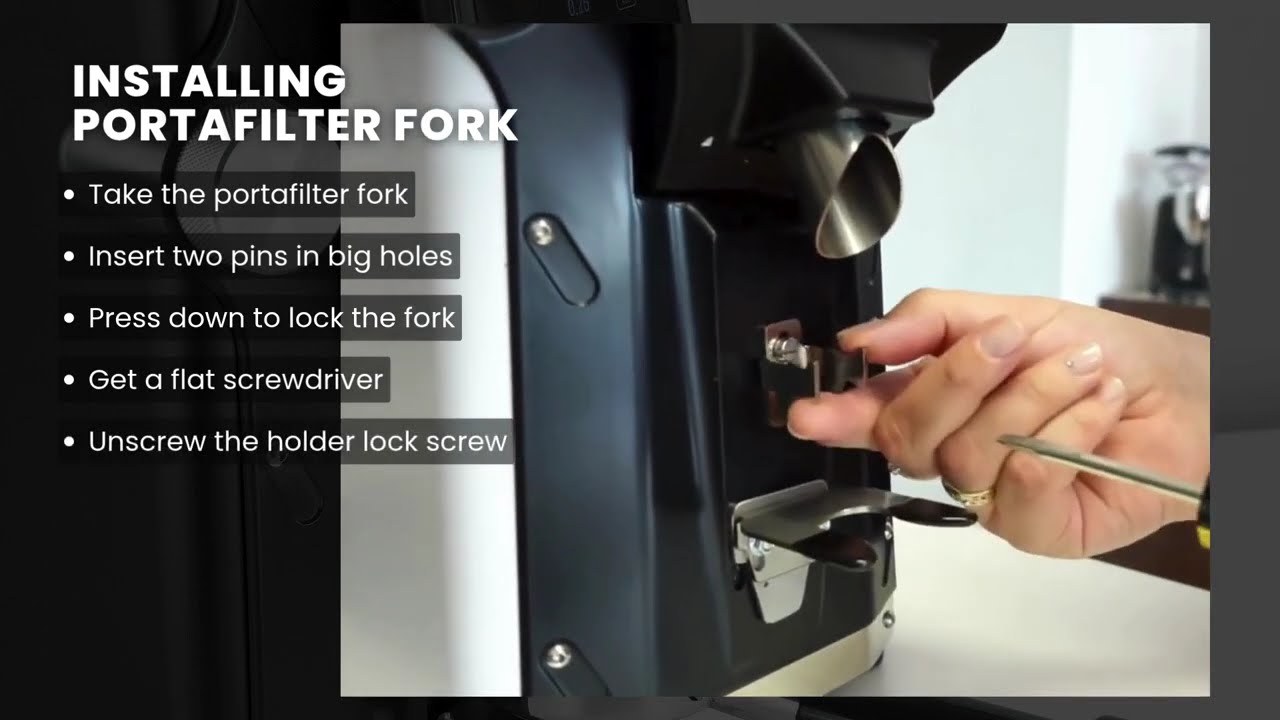
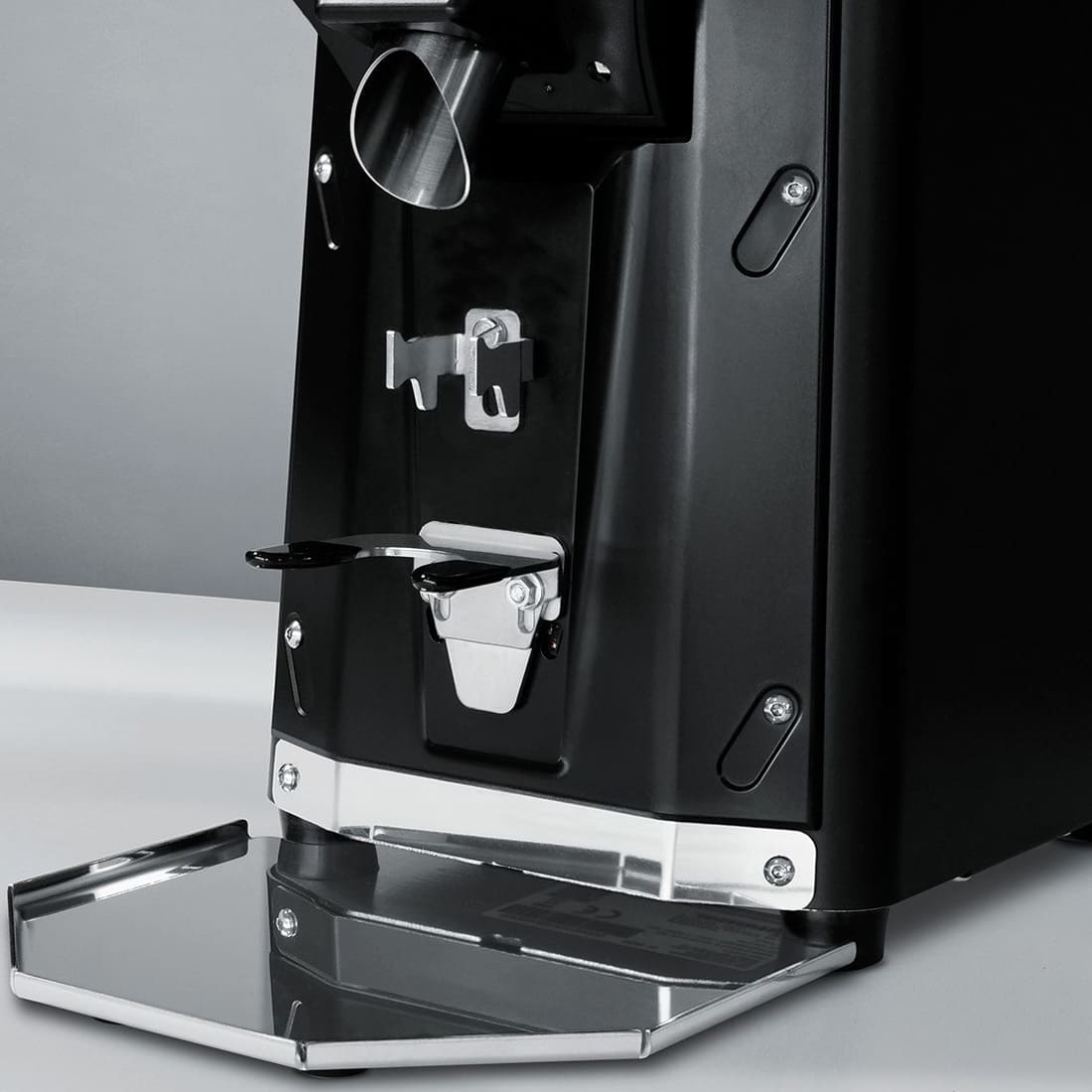
- Hands free: There is a hook that holds for your portafilter in place. It is adjustable to accommodate almost any portafilter. The fork is also easily removable if not using or storing grinder away.
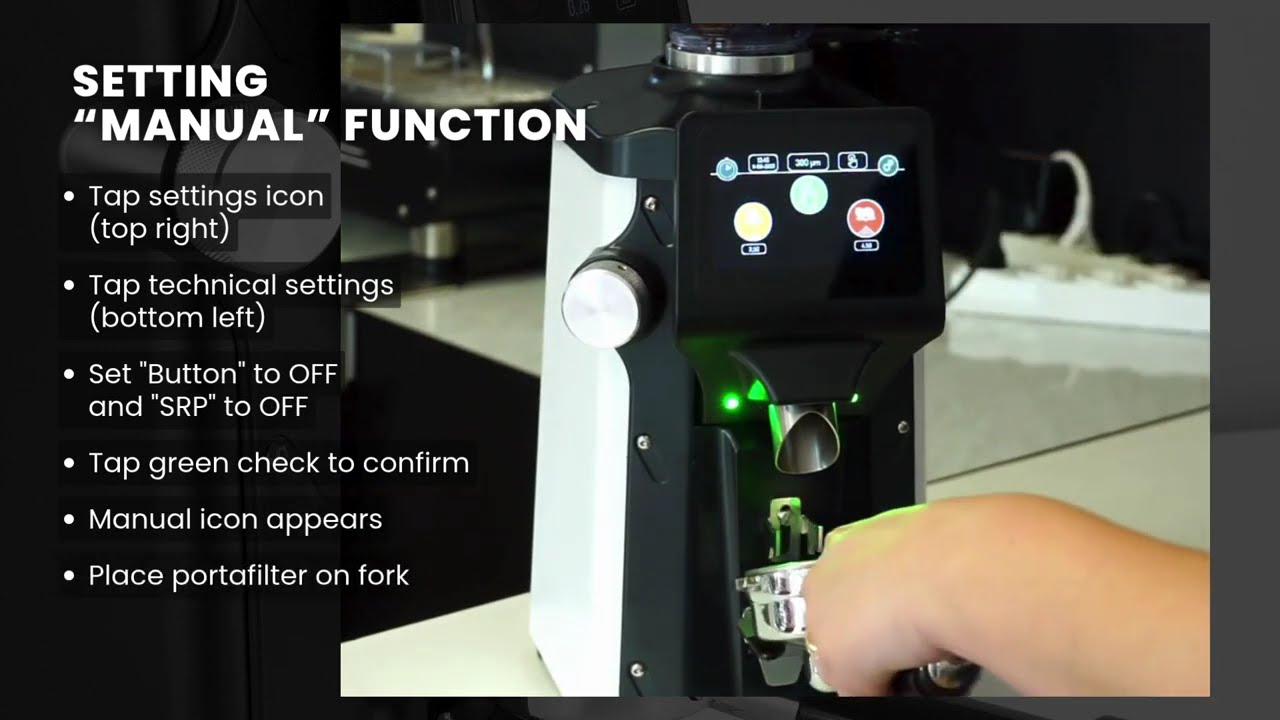
- S.R.P. (Portafilter Recognition System): Detects the type of portafilter and automatically starts grinding when in place. Requires initial calibration via the touchscreen for your specific portafilters.
Bean Hopper
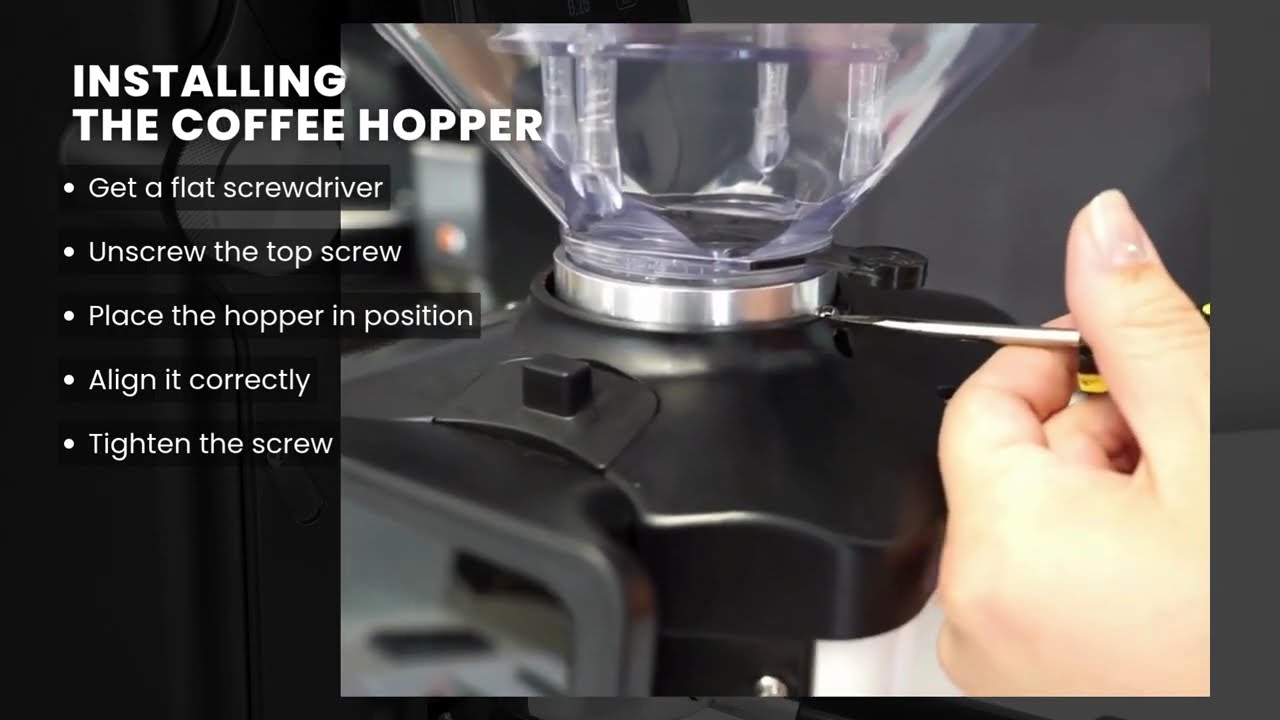
- Short: The Quamar A01 normally comes with a tall hopper. We requested shorter hoppers to save on height and helps fit under most kitchen cabinets.
- Set screw: Secures the hopper to the grinder. Serves as a reminder for users from quickly removing the hopper if it is full of beans.
- Fingerguard: Prevents users from “accidentally” putting their fingers in the grinding burrs. Also helps reduce the “popcorning” effect of the beans when grinding.
- Stopper: A door near the bottom of the hopper can be pushed in to close the opening. This allows you to remove the hopper with beans inside so you can easily change the beans. There will be some beans already passed in the burrs which will have to be ground out first before removing the hopper.
Specifications
| Brand | Quamar |
|---|---|
| Height (inches) | 19.25, approximate, short hopper |
| Width (inches) | 7.5, approximate |
| Depth (inches) | 11.25, approximate |
| Weight (pounds) | 27 |
| Wattage (watts) | 480 |
| Voltage (volts) | 110 – 120 |
| Burr size (mm), Type | 65, flat, food-friendly |
| Grinding speed (RPM) | 1770 |
| Hopper capacity (grams) | 1200 |
| Approvals | ETL |
| Country of manufacture | Treviso, Italy |
Notes
Espresso Coffee Grinder Warnings:
- Roast Profiles: Espresso grinders sold by 1st-line Equipment, unless specifically indicated on the grinder page, are manufactured for coffee beans that have Italian or espresso roast profiles. Lighter roasted coffee beans may clog the grinder or not grind fine enough. Darker roasted coffee beans, such as French roasted or oily coffee beans, may clog the grinding chamber and/or the grinder chute where the ground coffee exits.
- Changing grind settings: It is very important to only change grind settings when the unit is powered on and the burrs are in motion. If you do not do this, the burrs will ‘gunk’ up and render the grinder to only produce very coarse grinds or no grinds at all. To remedy this, you will have to open up the grinder to get access to the grinding burrs. This issue will be considered operator error for lack of following directions, and not be classified as a defective grinder.
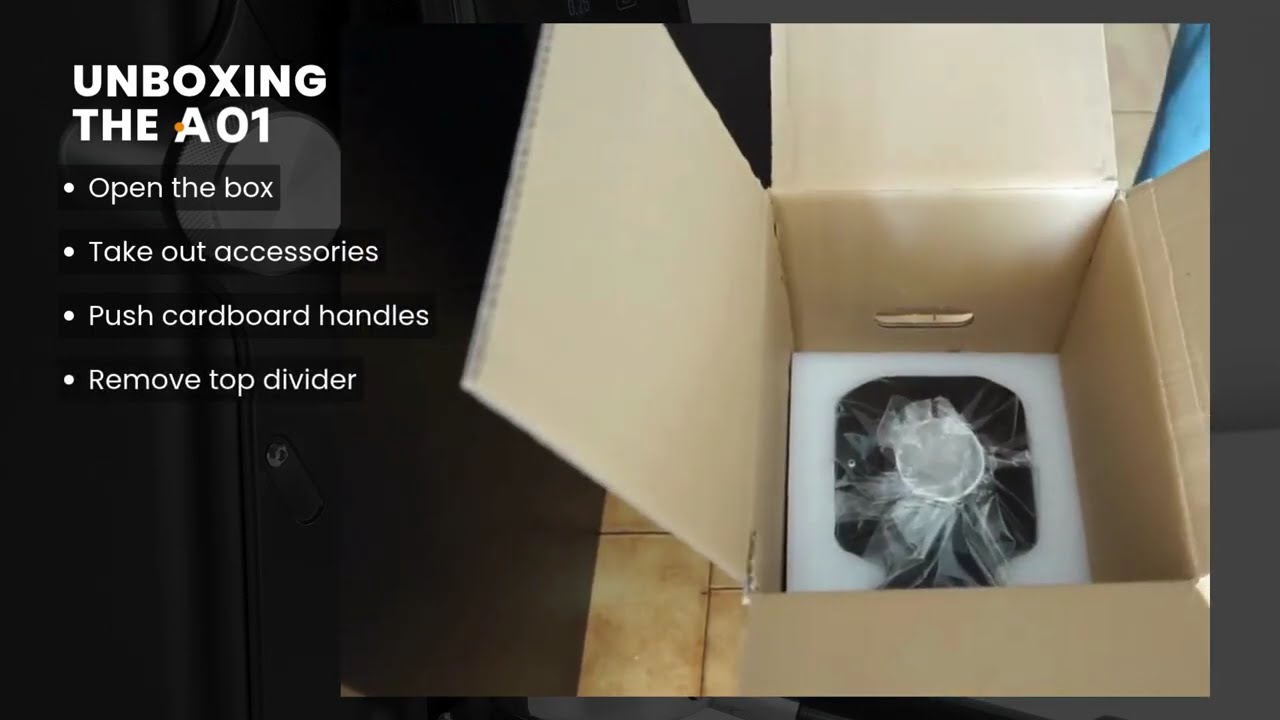
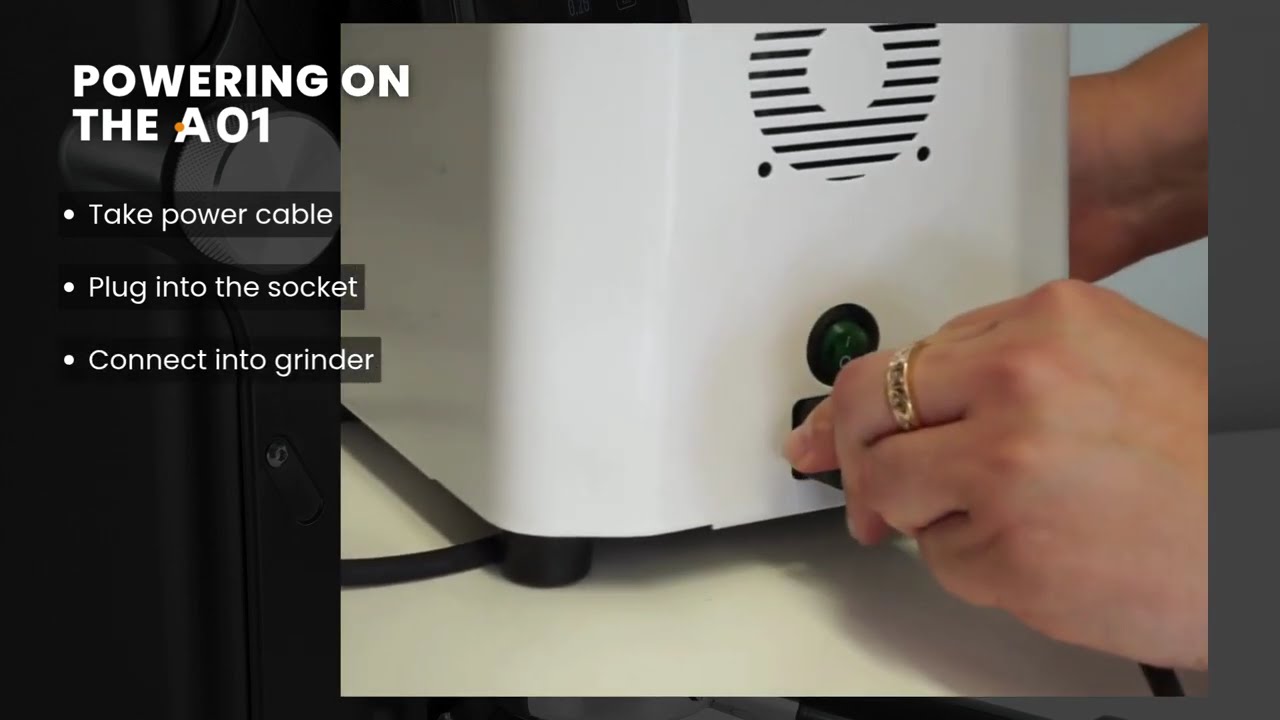
- Electrical cord: For most grinders, the cord is placed between the packaging (foam or cardboard) and the underside body of the grinder. During shipping, it is normal for a bend or insignificant blemish/slice to damage the cord.
- Finding coffee grinds in a new grinder: Most manufacturers test their grinders with coffee beans before they leave their facility. Unfortunately, they are not always able to get every trace of coffee out of the grinders after testing. As a result, you may find coffee beans or grinds inside your grinder, or there may be grinds in the packaging.
- Static issues: There are static issues with all grinders, even the highest-quality models. We firmly believe that the static comes from the coffee beans. If you are having static problems with your coffee grinder, try using a different blend of beans.
- Electrical: To avoid electrical damage (which is not considered a manufacturer's defect), please acquire and install a single-outlet surge suppressor rated at 1080 joules or higher. A surge without protection can damage a grinder at the power switch, the capacitor, the motor, or the wiring.
- Burr cleaning: For routine maintenance of the grinding burrs, we recommend using grinder cleaning agents. We do not recommend any removal of the burrs or the burr carrier for cleaning (unless necessary) as re-assembly can cause damage. If the grinder chamber is dis-assembled, the warranty is voided for any damages that result. It is important to always remove all coffee grinds from the threads of the burr carrier and the grinding chamber.
- Replacing burrs: NEVER use a flat head screwdriver and hammer to wedge UNDER the burrs for removal. This could badly damage your grinder.
Support
Parts Diagram
No block ID is set
Reviews
Q & A
Ask a question
Please ask follow up questions as a new question. Submitted questions will be first reviewed, answered, and lastly publicized.
There are no questions yet. Be the first to ask a question about this product.