

1st-line's Espresso Blog
Eureka Grinder Display Missing -/+ Buttons
Congratulations! You are the proud owner of a Eureka Oro Mignon XL Grinder! You just can’t wait to open the box and set it up! First, you position the rubber mat on your countertop. Then you situate the tamping station in its proper place. The cleaning brush you plop in the front, but you don’t want to open the wrapping unless you absolutely need to. Then the grinder itself comes out of the box! The one-half of the duo that does all the “grind work” behind the scenes. It now stands in its workspace. You give it its tools (which are the bean hopper and portafilter fork). You give it some positive energy (by plugging it into the wall). You give it a tap on the shoulder (which is really a tap on the side where the power switch is), and you are ready to work.

The screen lights up, ready for commands. You notice the grind time is a little short, so you want to increase it a bit. However, something is amiss. You don’t see a way to adjust the time. Pressing the time doesn’t seem to do anything. The middle empty squares also do nothing. The bottom squares, which have “cups” in them, change the time from one to a longer one. You start to get frustrated. You are going through withdrawals because you haven’t had coffee in the past 2 hours. You wonder if you received a defective unit. The first thing that pops into your head is to give us a call. However, it’s the weekend and we are open Monday – Friday, 10:30 am – 5:00 pm EST. You also sent an email through the contact us page on our website, but you didn’t get a response within 5 minutes.

Since you have time, you decide to read through the included instruction manual. You get to page 30 (for English instructions) and read this part:
5.2.4 LOCKING THE TIME
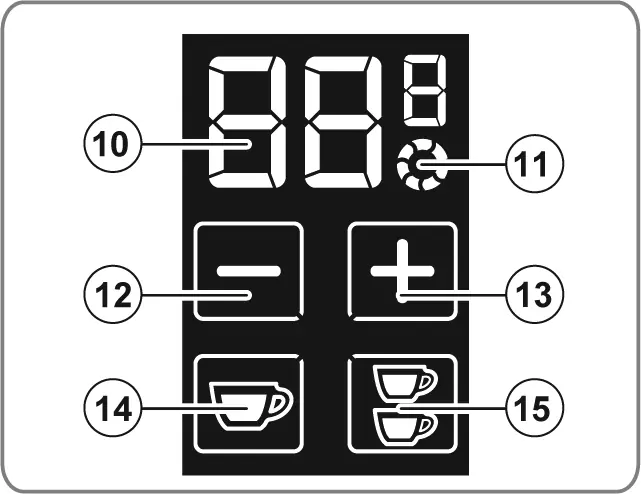
Press the buttons 12 (-) and 13 (+) at the same time. When releasing them, the dose dispensing time adjustment stops. Furthermore, on the display, the buttons 12 (-) and 13 (+) disappear. Press both buttons 12 (-) and 13 (+) again to unlock the functions.
Could it be that simple?

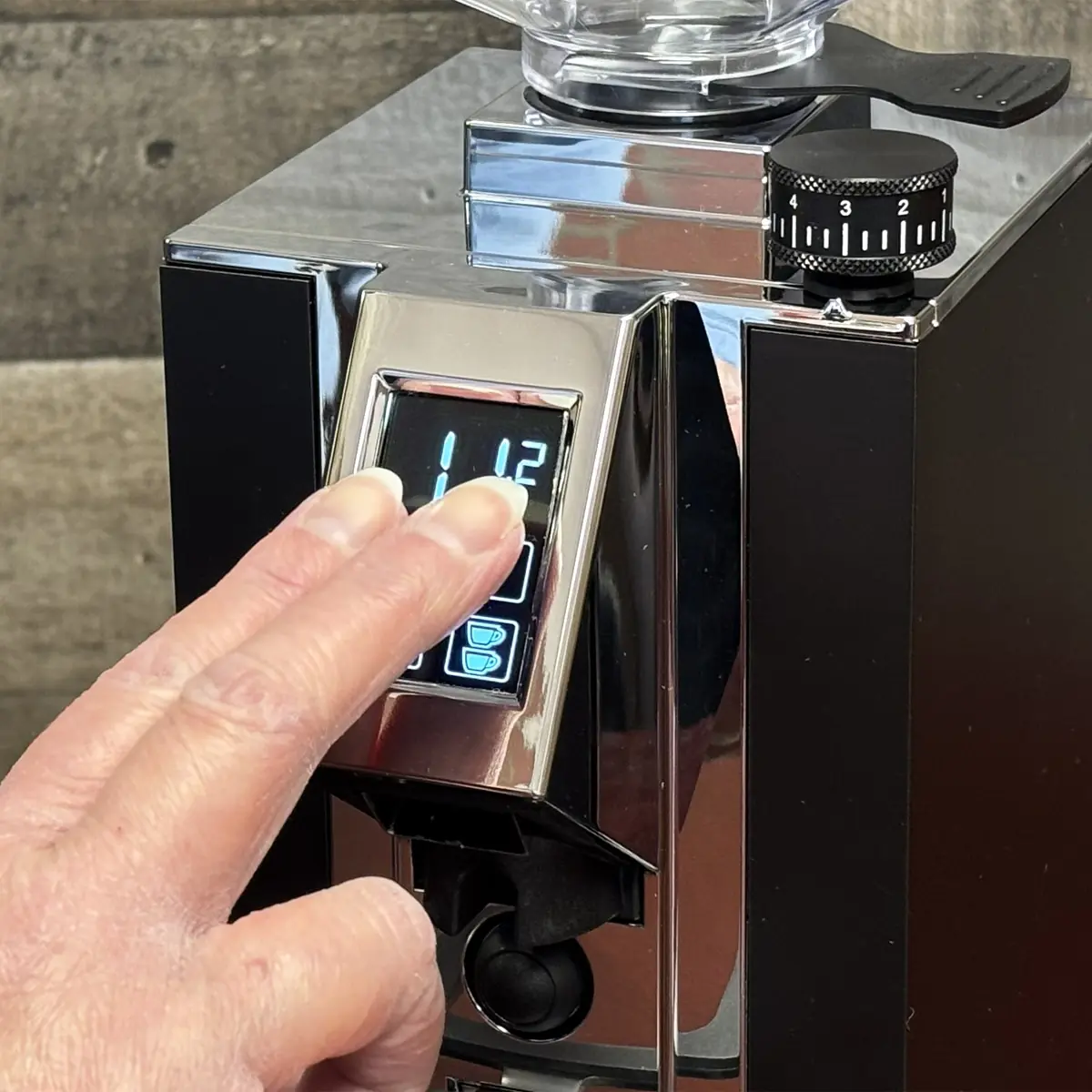

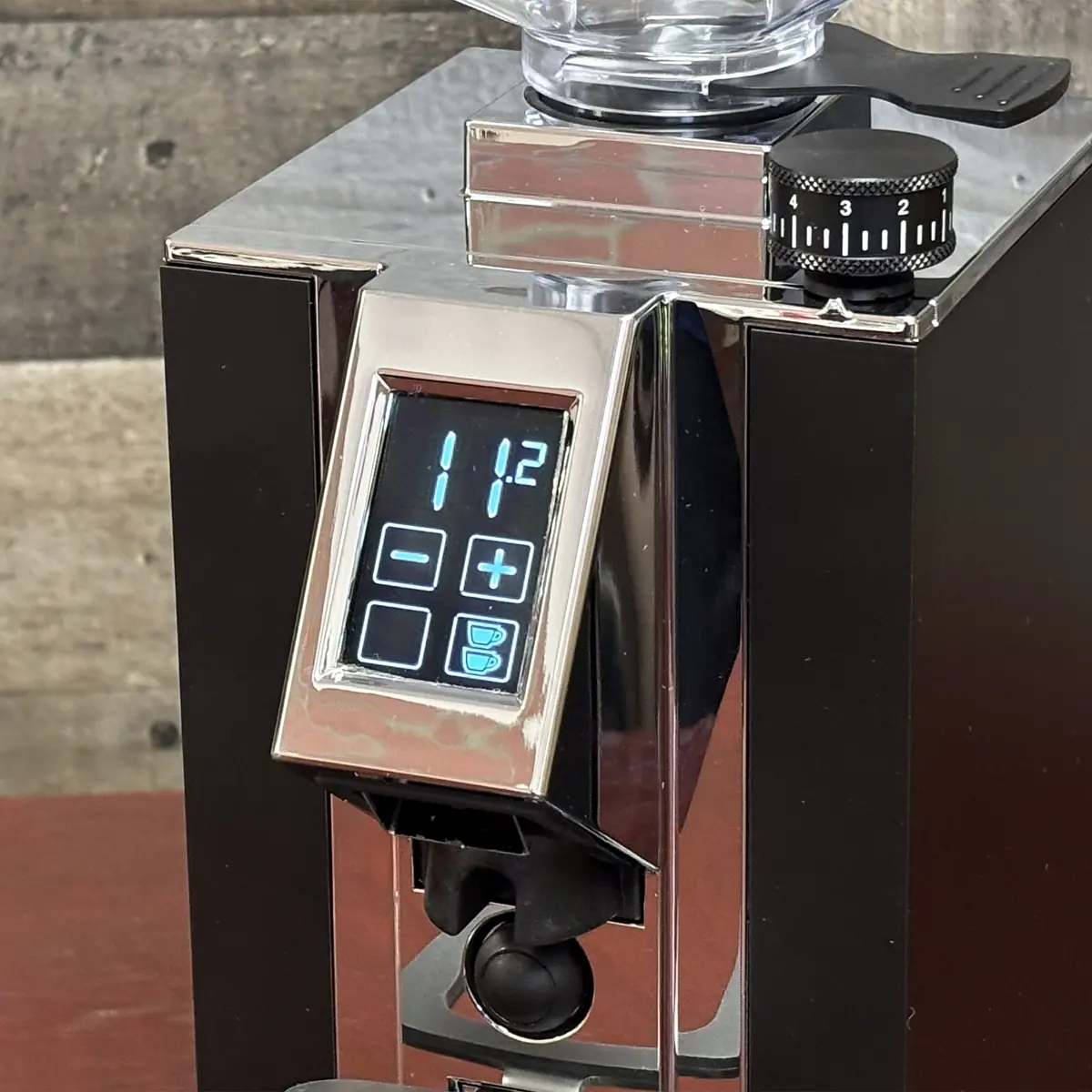
They don’t say explicitly why this functionality is programmed into the screen, but we can think of a few reasons.
- When cleaning the screen you can inadvertently change the settings.
- This prevents anyone from playing with the settings like a curious child or house guest.
Note: This should work for all Eureka Mignon grinders that have a similar touch screen display.
